📞 How to Use a Voice Bot for Your Business in Belgium: Step-by-Step Guide

📞 How to Use a Voice Bot for Your Business in Belgium: Step-by-Step Guide
💡 Key Takeaways
- Simple Setup: No technical skills needed, takes 15-30 mins.
- Flexible: Use as main number, backup, or overflow.
- Smart: Handles appointments, FAQs, and urgent calls.
- Local: Works with Belgian dialects and habits.
Using a voice bot is simple.
You do not need technical skills, new hardware, or complicated software.
Here is exactly how a Belgian SME uses a voice bot in daily life - step by step.
🎯 Why This Guide?
Many business owners think voice bots are complicated or require technical expertise.
| Myth | Reality |
|---|---|
| "It's too complicated" | Setup takes < 30 mins |
| "Robots sound fake" | Modern AI sounds natural |
| "Customers hate it" | Clients love instant answers |
Reality: Setting up a voice bot takes 15-30 minutes. You just need to know what you want it to do.
This guide shows you the practical, day-to-day steps - no jargon, no complexity.
New to voice bots? Learn more about how Belgian businesses use voicebots to transform their customer service.
1️⃣ Choose Where the Bot Will Answer Calls
There are three ways Belgian businesses typically use a voice bot:
Option A - As Your Main Phone Number
The bot answers all calls directly.
You use a new professional number:
"Bonjour, ici Sam pour Garage Dupont. Comment puis-je vous aider ?"
Useful for:
- 🚗 Garages
- Artisans (plumbers, electricians, carpenters)
- Salons (beauty, hair)
- 🍽️ Restaurants
- 🏢 TPE without secretary
Why: You want the bot to handle everything first, freeing you completely.
Option B - As a Backup (Only When You Don't Answer)
Your existing number → rings 3-5 times → bot picks up automatically.
Perfect for:
- 👨⚕️ Doctors
- 🏪 Small shops
- 👥 People who want human first, bot second
Why: You prefer to answer yourself, but want to catch calls you miss.
Option C - As an Overflow During Busy Hours
When your line is full, the next call goes straight to the bot.
Great for:
- High-call-volume businesses
- Tele-secretariats (to avoid overload)
- 🏢 Businesses with peak hours
Why: You handle what you can, the bot handles the overflow.
2️⃣ Tell the Bot What It Should Handle
This step takes 10-15 minutes.
You define what the bot must do when someone calls:
Book appointments - Check calendar, offer slots, confirm
Answer common questions - Opening hours, prices, services
Give opening hours - Current schedule, holiday closures
Provide price estimates - Basic quotes, service costs
Take messages - Record details, forward to you
Transfer to a human - You or your staff, when needed
Detect urgent situations - Emergency calls, immediate alerts
Send WhatsApp / SMS summaries - After each call, you get a summary
Real Belgian Examples
In Belgium, typical examples include:
- "Prendre rdv pour un entretien voiture" (Book car service appointment)
- "Réserver un brushing vendredi" (Book blow-dry for Friday)
- "Demander un devis électricité" (Request electrical quote)
- "Prévenir le médecin d'une annulation" (Notify doctor of cancellation)
- "Est-ce que vous avez place demain matin ?" (Do you have availability tomorrow morning?)
You just list the tasks - the bot learns the phrasing automatically.
Modern voice bots understand:
- Natural language (not just keywords)
- Local dialects and expressions
- Variations in phrasing
- Context and intent
3️⃣ Connect Your Calendar or Tools (Optional but Powerful)
To make the bot truly useful, you connect:
- 📅 Outlook - Microsoft calendar
- 📅 Google Calendar - Gmail calendar
- Teamleader / Odoo - Business management tools
- WhatsApp - Direct messaging
- Ubicentrex - Phone systems
- Your CRM - Customer database
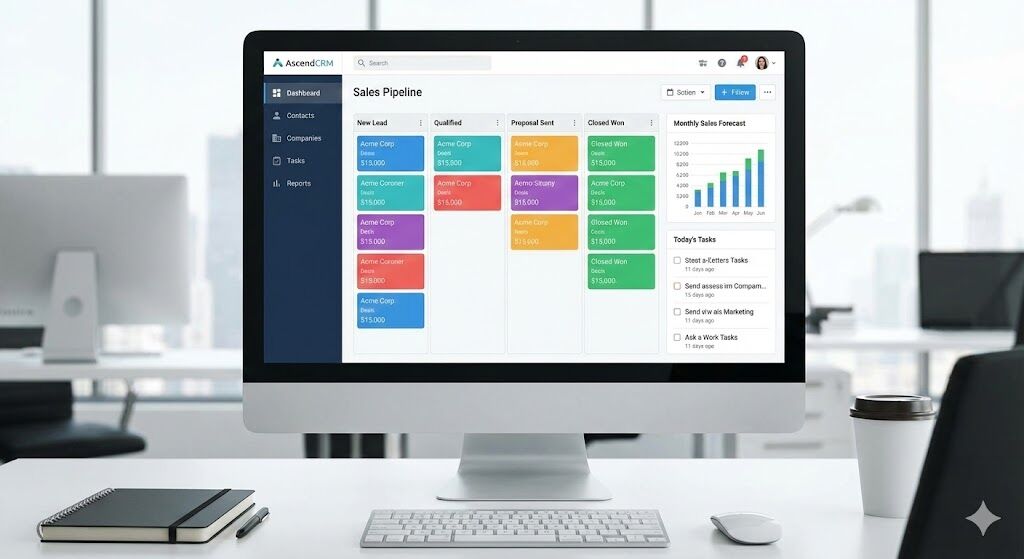 Example: Your calendar connected to the voice bot - appointments are automatically synced
What This Enables
Once connected, the bot can:
- Propose real-time availability - Checks your actual calendar
- Add or cancel appointments - Updates automatically
- Send confirmations - Via email or SMS
- Update your client files - Adds notes to CRM
- Send you messages instantly - WhatsApp/SMS after each call
No complicated setup.
Usually it's 1 click + login. The bot handles the rest.
4️⃣ Test the Bot Like a Real Client
Before going live, test everything.
You call your own number and test:
- Booking a meeting
- Asking for an urgent service
- Asking for a price
- 🗺️ Asking for directions
- 📝 Leaving a message
- 🔄 Requesting a cancellation
Testing in Belgium
In Belgium, owners often test in:
- 🇫🇷 French - Standard and local expressions
- 🇳🇱 Dutch - Standard and Flemish dialects
- 🗣️ Local dialects - Regional variations
Yes - good bots understand:
- "Est-ce que t'as place demain matin ?" (Do you have availability tomorrow morning?)
- "Ik wil een afspraak maken" (I want to make an appointment)
- "C'est urgent, j'ai besoin d'un plombier" (It's urgent, I need a plumber)
If something feels confusing, you adjust it.
Most businesses refine the bot 2-3 times during testing.
Pro Tip: Don't worry about accents! Modern voice bots are trained on thousands of hours of Belgian speech patterns.
5️⃣ Let the Bot Handle Daily Calls
Once configured, the bot does all the frontline work:
What You See as the Business Owner
After each call, you receive:
- 📱 A WhatsApp/SMS summary - Who called, what they wanted, what happened
- A clean summary - Every request documented
- 📅 Your agenda updated - Automatically synced
- Your CRM updated - Customer notes added
- Missed calls handled - No more "appel manqué" stress
Example summary:
"📞 Call from Marie Dubois (0478123456) Wanted: Appointment for car service Booked: Friday 15:00 Status: Confirmed via SMS"
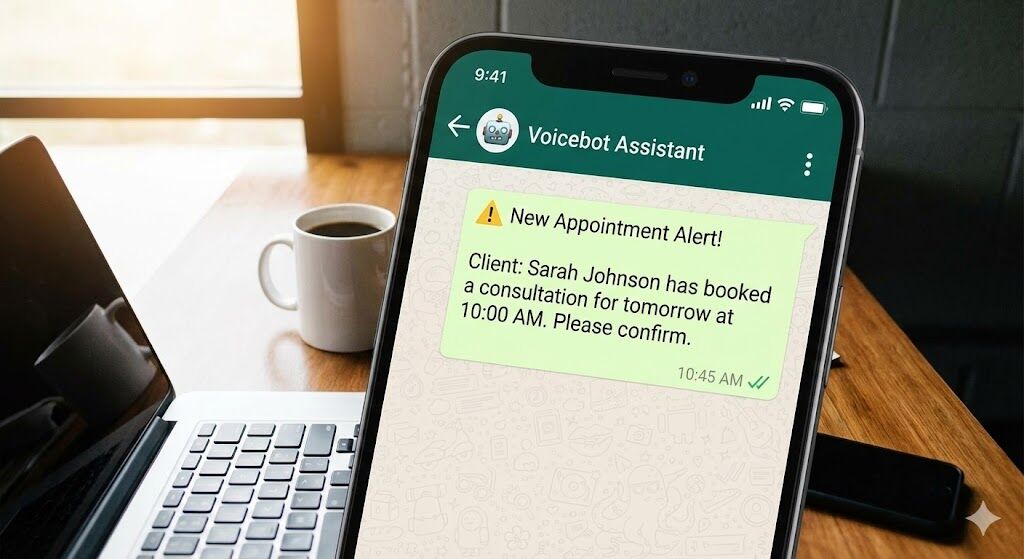 Example: WhatsApp notification you receive after each call - instant summary of what happened
What Clients See
- Instant answer - No waiting, no voicemail
- Clear communication - Natural conversation
- A feeling that your business is organized - Professional image
Result: Better customer experience, less stress for you.
6️⃣ Take Over When Needed (The Bot Escalates to You)
Belgian clients love technology as long as a human is possible.
So every bot has an emergency route:
- 📱 Transfer to your mobile - Immediate connection
- 🏢 Transfer to your shop/garage - Direct line
- 📝 Send summary for callback - You call back when ready
- 🎤 Record a voice message - Client leaves detailed message
- 🔔 Notify you instantly - Via Teams/Slack/SMS
You stay in control.
The bot handles routine tasks, you handle relationships.
When Does the Bot Escalate?
The bot automatically transfers to you when:
- Urgent situation detected - Emergency keywords
- 😤 Customer frustration - Hesitation or negative language
- ❓ Complex request - Beyond bot capabilities
- Customer asks for human - "Je veux parler à quelqu'un"
- 🔄 Multiple failed attempts - Bot can't understand
7️⃣ Improve It Over Time (Optional but Powerful)
Every 2-3 weeks, most businesses refine the bot:
- ➕ Add new FAQ - Based on incoming questions
- ⏰ Adjust availability - Seasonal changes, holidays
- 🆕 Add new services - New offerings, promotions
- Add seasonal promos - Special campaigns
- ❄️ Create "winter tire season mode" - Garage example
- Create "coiffeur vacances mode" - Salon example
- Create "urgence plomberie mode" - Plumber example
The bot gets smarter with use - just like a real assistant.
Continuous Improvement
After 1-2 months, you'll notice:
- 📈 Higher success rate - Bot handles more calls
- Faster responses - Learns common patterns
- 😊 Better customer satisfaction - More natural interactions
- More bookings - Captures more opportunities
📋 Practical Examples
🚗 Garage
Client: "Je veux un rdv pour entretien."
Bot process:
- Checks agenda
- Offers available slots
- Books appointment
- Confirms via SMS
- Sends you summary
Result: Appointment booked, you're notified, client confirmed.
⚡ Électricien
Client: "C'est urgent, j'ai une prise qui brûle."
Bot process:
- Detects danger keyword ("urgent", "brûle")
- Sends SMS to you immediately
- Offers to transfer call
- Records client details
Result: You're alerted instantly, can respond immediately.
💄 Salon de Beauté
Client: "Je veux annulé mon rdv pour vendredi."
Bot process:
- Finds the appointment
- Cancels booking
- Frees time slot
- Notifies you
- Offers new slot if needed
Result: Cancellation handled, slot freed, you're informed.
👨⚕️ Médecin
Client: "Je veux un rdv pour une prise de sang."
Bot process:
- Checks rules (blood tests only certain days)
- Books only compatible slots
- Confirms appointment
- Sends preparation instructions
Result: Appointment booked correctly, patient informed.
🎯 Conclusion
To use a voice bot in Belgium, you only need to:
1 Choose when the bot picks up - Main number, backup, or overflow
2 Tell the bot what tasks it must handle - List your needs (10-15 min)
3 Connect your calendar/tools - Optional but powerful (1 click)
4 Test it like a real client - Call yourself, refine as needed
5 Let it answer your calls - Bot handles frontline work
6 Step in when necessary - Bot escalates automatically
7 Improve it over time - Add FAQs, adjust, optimize
This is how Belgian businesses use voice bots every day to save time, reduce stress, and improve client satisfaction.
No technical skills required. No complicated setup. Just practical steps.