Connect Your World: Maximizing Your Virtual Receptionist with Integrations
🌐 Connect Your World: Why Your Virtual Receptionist Needs to Talk to Your Software
Stop being a "human bridge". Let your voicebot talk directly to your business tools.
💡 Key Takeaways
- No More Data Silos: Automatically sync calls with your CRM and Calendar.
- Zero Manual Entry: Reduce admin work by 100% and eliminate human error.
- Plug & Play: Works with Salesforce, HubSpot, Teams, Odoo, and more.
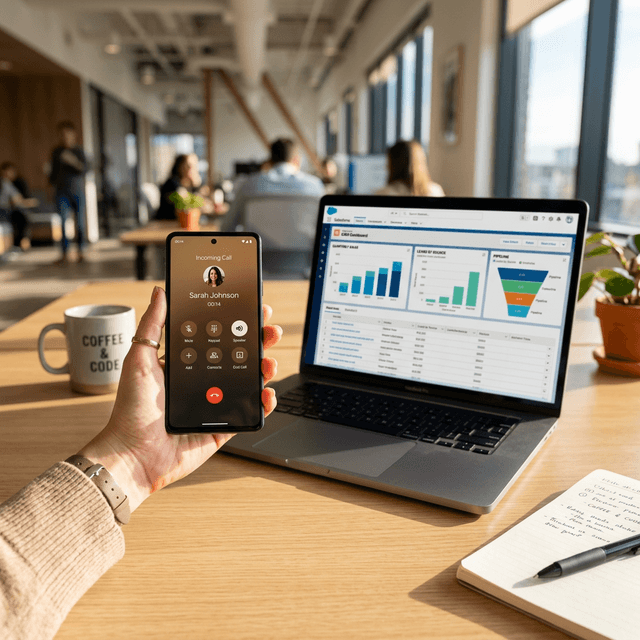
- Instant Context: Know who calls before you pick up.
Imagine a receptionist who answers calls perfectly but never writes anything down effectively. They take a message, but it gets lost on a sticky note. They make an appointment, but forget to check if you're actually free. Frustrating, right?
Better Call Sam isn't just a voice that answers the phone. It is a smart, connected virtual receptionist that acts as a bridge between your callers and your business tools.
🆚 The Old Way vs. The Sam Way
See the difference connection makes:
| Feature | 🕸️ Manual Process | 🚀 Connected with Sam |
|---|---|---|
| Taking a Lead | Scribble on paper -> Type in CRM later | Instant CRM creation |
| Booking | Check calendar -> Negotiate slot -> Type it | Real-time sync with your availability |
| Accuracy | Prone to typos & forgotten details | 100% Accurate transcription |
| Speed | Slow (Minutes) | Instant (Seconds) |
The Solution: A Digital Bridge
Better Call Sam builds a digital bridge directly to the tools you already use. It's like giving your virtual receptionist a set of keys to your office software.
When Sam handles a call, he can:
- Read from your software: "Is the client with phone number X already in our database?"
- Write to your software: "Create a new lead in Salesforce with this name and number."
- Trigger actions: "Send a Slack message to the sales team."
🔌 Plug & Play Integrations
We believe in making things simple. That's why we support major platforms right out of the box.
1. Collaboration & Communication 💬
Microsoft Teams, Slack
- Scenario: A VIP client calls.
- Sam's Action: Instantly sends a notification to your specific "Sales" channel in Teams: "🚨 High priority call from Mr. Peeters."
- Benefit: Your team is alerted in real-time. No emails getting lost.
2. CRM (Customer Relationship Management) 👥
Salesforce, HubSpot, Teamleader, Odoo
- Scenario: A new prospect calls to inquire about pricing.
- Sam's Action: Automatically creates a new Lead card in your CRM. Adds the call recording and full text transcript to the file.
- Benefit: Your sales team has 100% accurate data to follow up on immediately.
3. ERP & Business Management 📦
Odoo, Teamleader
- Scenario: A customer wants to know where their order is.
- Sam's Action: Identifies the caller, pings Odoo to check order status, and tells the customer: "📦 Your package was shipped yesterday."
- Benefit: Solves the customer's problem in 30 seconds without bothering a human.
4. Custom Integrations 🧩
"Not Listed?"
- Do you use a proprietary system or a niche software?
- We use standard APIs. Think of it as a universal plug. If your software has a plug, Sam can connect to it.
🌍 Real-World Scenarios
To truly understand the power of integration, let's look at two specific industries:
🩺 Healthcare: The Busy Dentist
The Problem: Dr. De Smet is treating a patient. The phone rings. It's a clean-up appointment request. She can't answer. With Sam Integrated:
- Sam answers the call.
- The patient asks for an appointment next Tuesday.
- Sam checks Dr. De Smet's Google Calendar in real-time.
- Sam offers a 14:00 slot. The patient accepts.
- Sam books the slot directly in the calendar and sends an SMS confirmation to the patient. Result: The calendar is full, and Dr. De Smet never stopped working.
🏠 Real Estate: The Mobile Agent
The Problem: An agent is driving. A potential buyer calls about "the house on Main Street". The agent can't write down the details. With Sam Integrated:
- Sam captures the caller's name, number, and the property address.
- Sam creates a contact in HubSpot and tags it "Interested - Main St".
- Sam sends a Slack notification to the agent: "New lead for Main Street property." Result: The lead is captured instantly and correctly, ready for follow-up when the agent parks.
🛠️ How It Works: The "Handshake" (Simplified)
You don't need to be an engineer to understand this. Think of it like a digital handshake:
- Authentication: You give Sam a "key" (API Key) to your software. This tells your software, "It's okay, Sam is with us."
- The Request (GET): When a call comes in, Sam asks your software a question. "Do we know this number?"
- The Action (POST): Based on the answer, Sam gives your software a command. "Write this note into the client file."
We handle all the technical setup. You just provide the key.
❓ Frequently Asked Questions
Is my data safe? Absolutely. We use bank-level encryption. Sam acts as a secure conduit; we don't store your CRM data, we just update it.
What if I change my CRM later? No problem. Sam is platform-agnostic. Switching from HubSpot to Salesforce? We just change the "plug".
Can Sam trigger workflows? Yes. For example, in HubSpot, Sam creates a "Ticket". This ticket creation can automatically trigger your own internal email workflows. The possibilities are endless.
🎓 Why This Matters for You
Integration isn't just "tech jargon". It means:
- 🚀 Speed: Information moves instantly.
- 🎯 Accuracy: No human error in copying phone numbers.
- 🧠 Context: Sam knows who is calling before he even says "Hello".
Ready to Connect?
Don't let your phone system stay on an island. Build the bridge.
👉 Contact Banana Navy to see if your favorite tools are on our list!